
Make sure you already installed and activated GravityForms.
Step 1. Log into your WordPress Admin area.
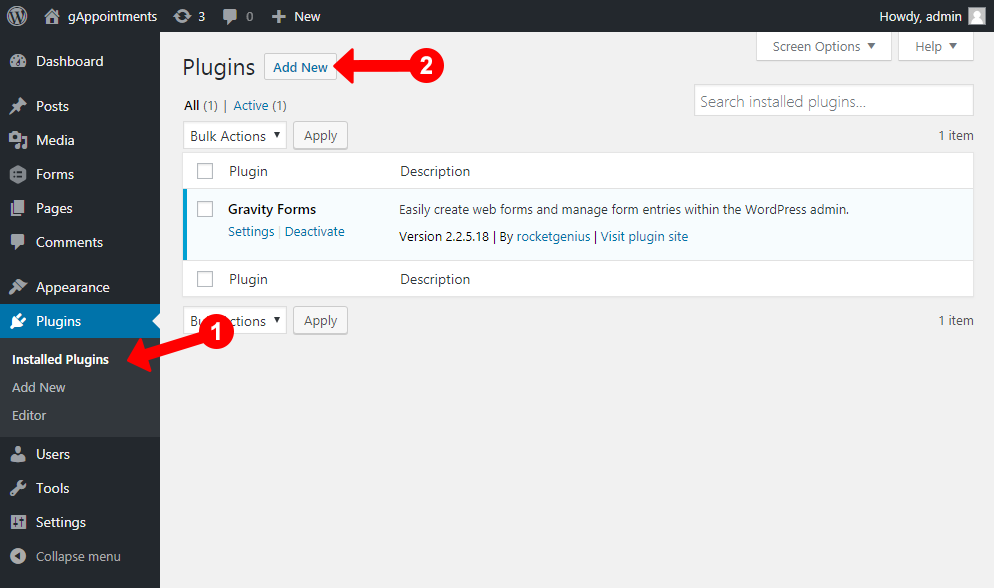
Step 2. Look down the left hand column for “Plugins” and then click on the button “Add new”.
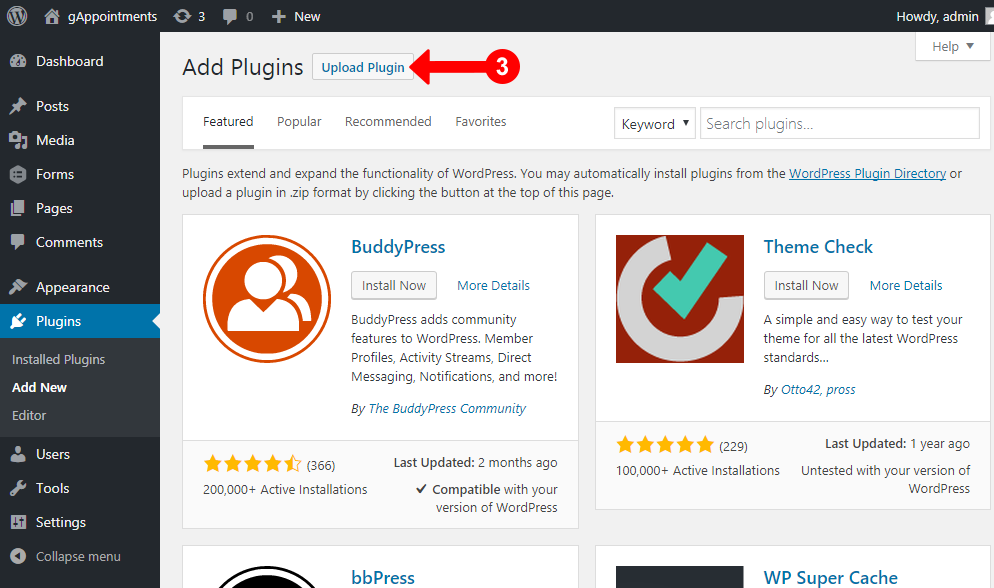
Step 3. In the “Add new” page, click “Upload Plugin” on top
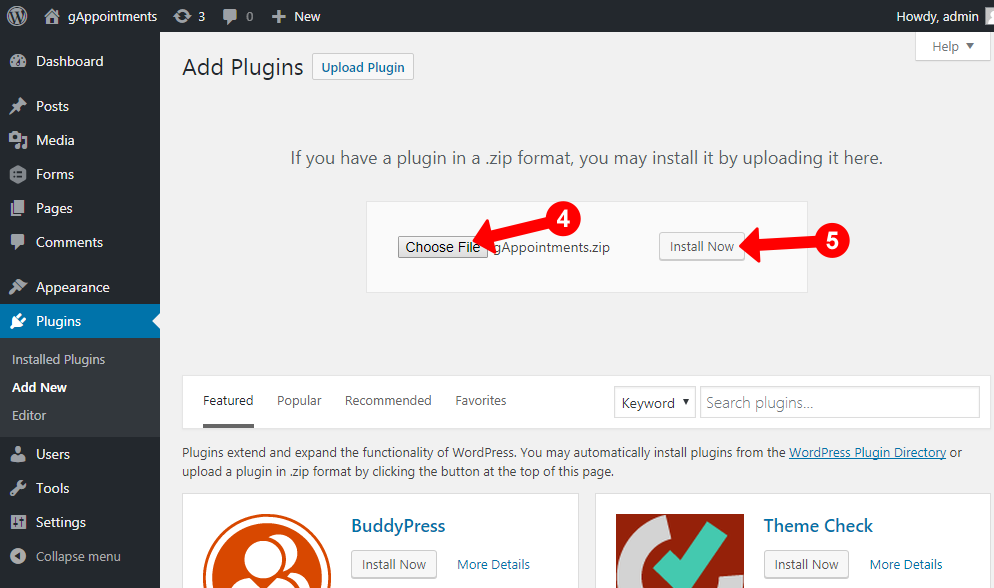
Step 4. In the “Upload” page, click “Choose file” to browse for the theme installation file in [path-to-your-downloaded-package]/gAppointments.zip). Click “Install Now”.
Step 5. After installed successfully, click “Activate” to make the gAppointments active

Always remember to download the latest version from your Themeforest account.